
Step 1: Choosing a business card template
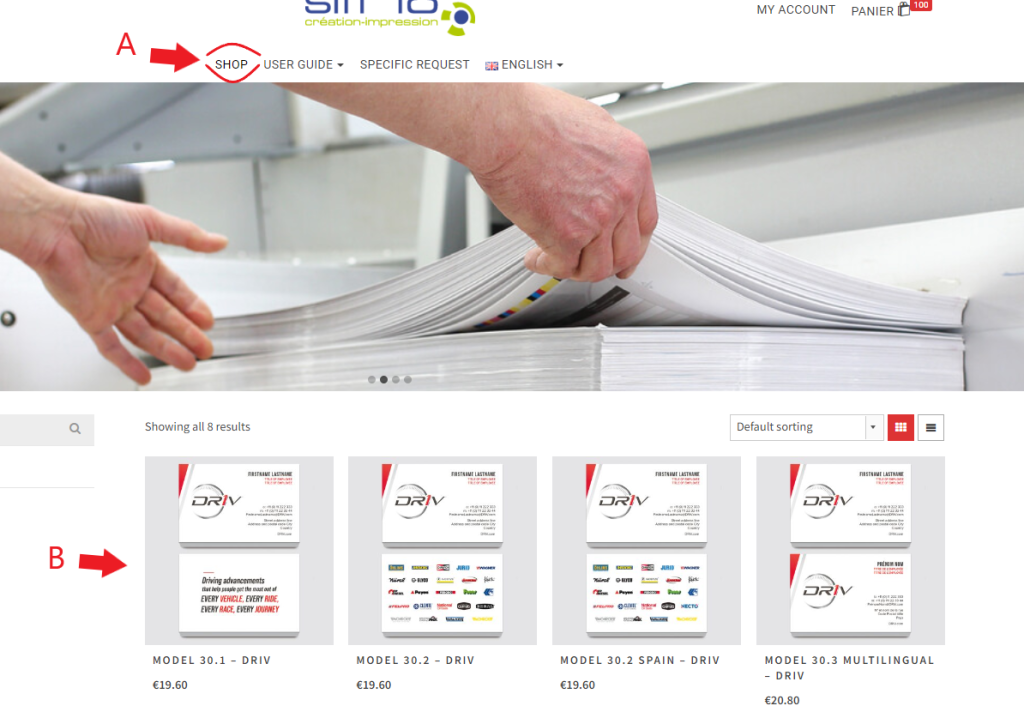
In the menu on the home page, click on “Shop” (A).
Then choose your business card template (B).
Step 2: Choose your quantity
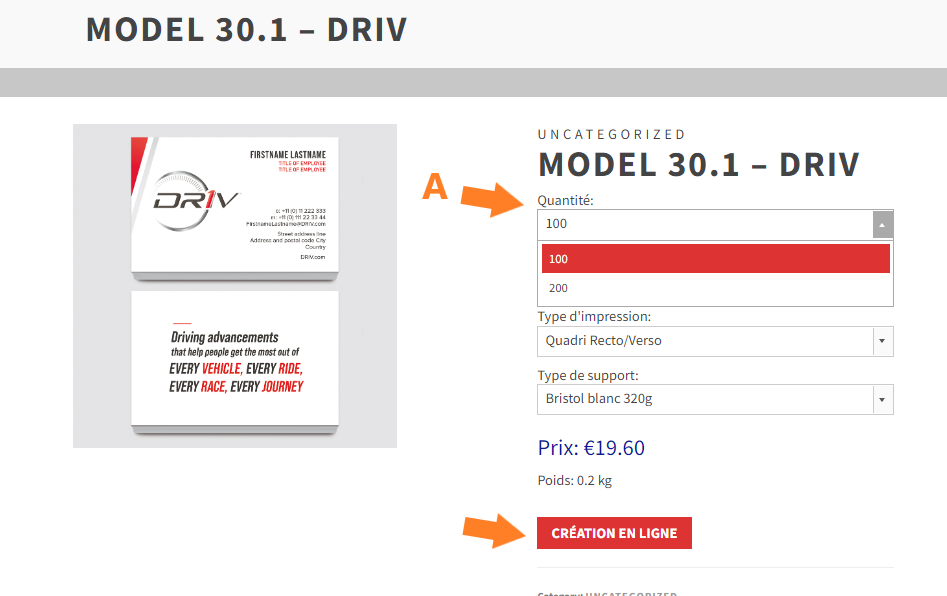
Choose the quantity of business cards you want (A) then click on “CREATION EN LIGNE ” (“Create online”) to go on to the next step (B).
Step 3: Create your business card
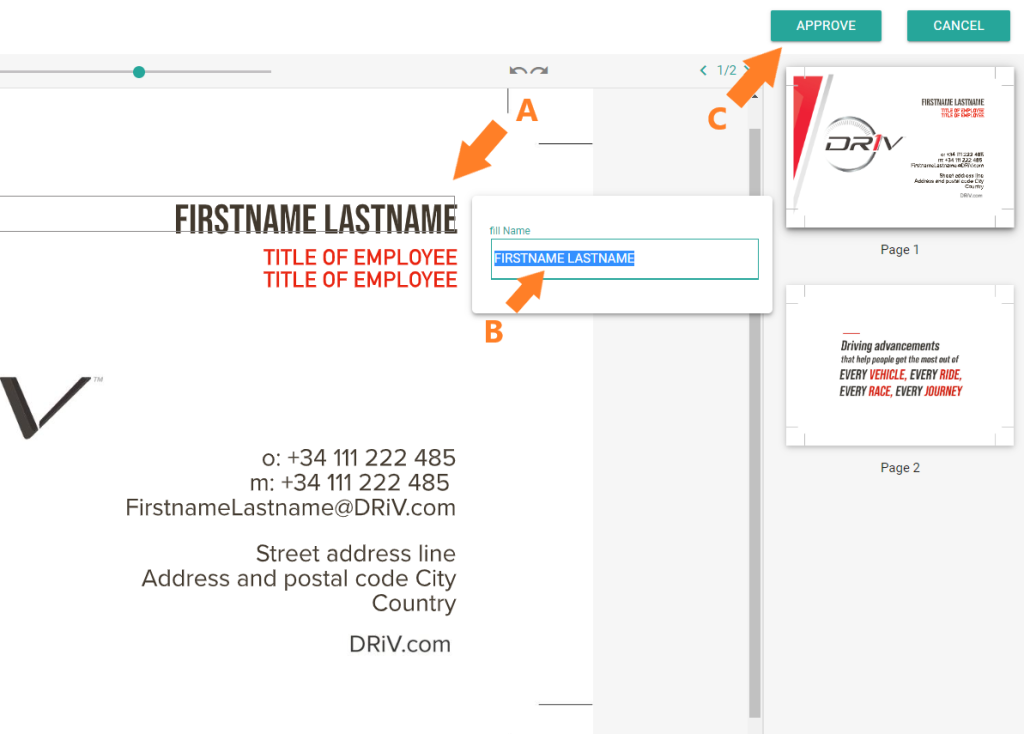
Click on a block (A) to open a new field and fill it in with your own data (B). Some data is deliberately blocked, as it belongs to the graphic charter.
Please note:
Once you’ve finished, take a moment to read over the text before clicking on “Approve”.
Please note : We can no longer modify business cards once an order has been placed, so please take the time to check your business cards before ordering.
Finally, click on the “Approve” button to add it to the shopping basket (C).
Step 4: Confirm your shopping basket
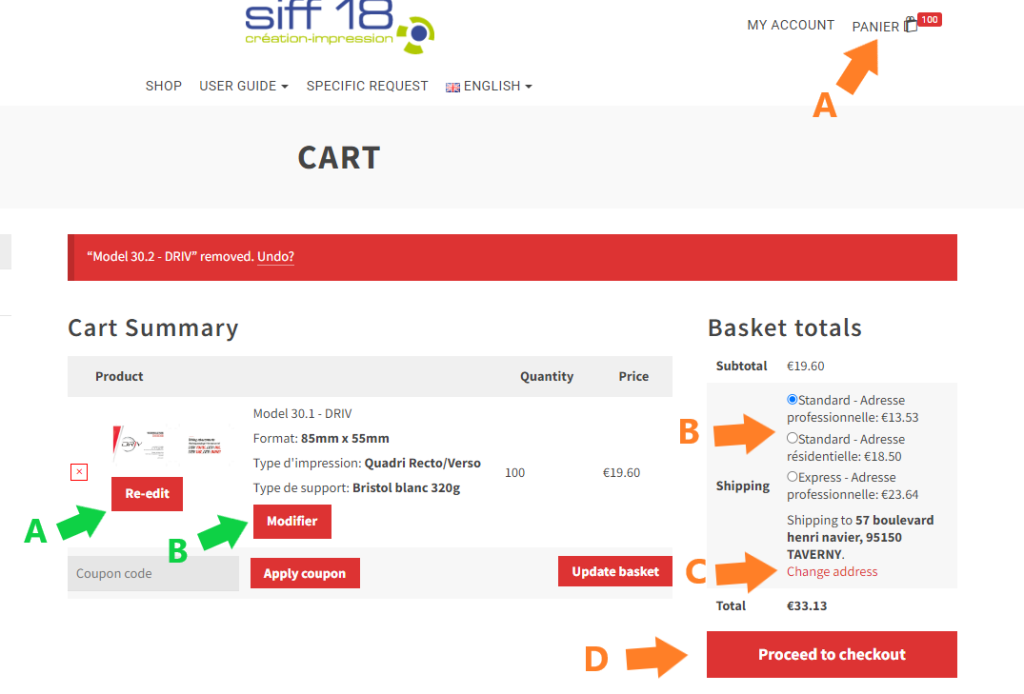
Once you have finished creating your business cards, you can go to your cart (A) to confirm your order.
To do this, you can change your delivery address by clicking on “Change address” (C).
Next, you need to choose your delivery type (B).
Please note: If your address is a residential address, choose “UPS Standard Residential”.
Once you have provided this information, click on “Proceed to chekckout” (C).
Tips: If you wish, you can modify your business card by clicking «re-edit» (A).
You can also change the number of business cards by clicking « Modifier» (B) (means “Change”).
Step 5: Payment of the invoice
You will receive an invoice once your order has been delivered.
No advance payment is necessary.
Your invoice will be sent to you by email or by post.
Payment for orders placed on the site must be made exclusively in Euros by cheque or bank transfer after receipt of your invoice.
The invoice will be sent to you once your order has been delivered.
We remind you that you must pay the amount of your order by the due date indicated on the invoice.
All orders placed on the site are payable. If you cancel your order, you may be charged a cancellation fee.

